Spending — Android
Money tracked by category with a forecast for the next month — and a price book that shows where things cost less.
Gallery
-
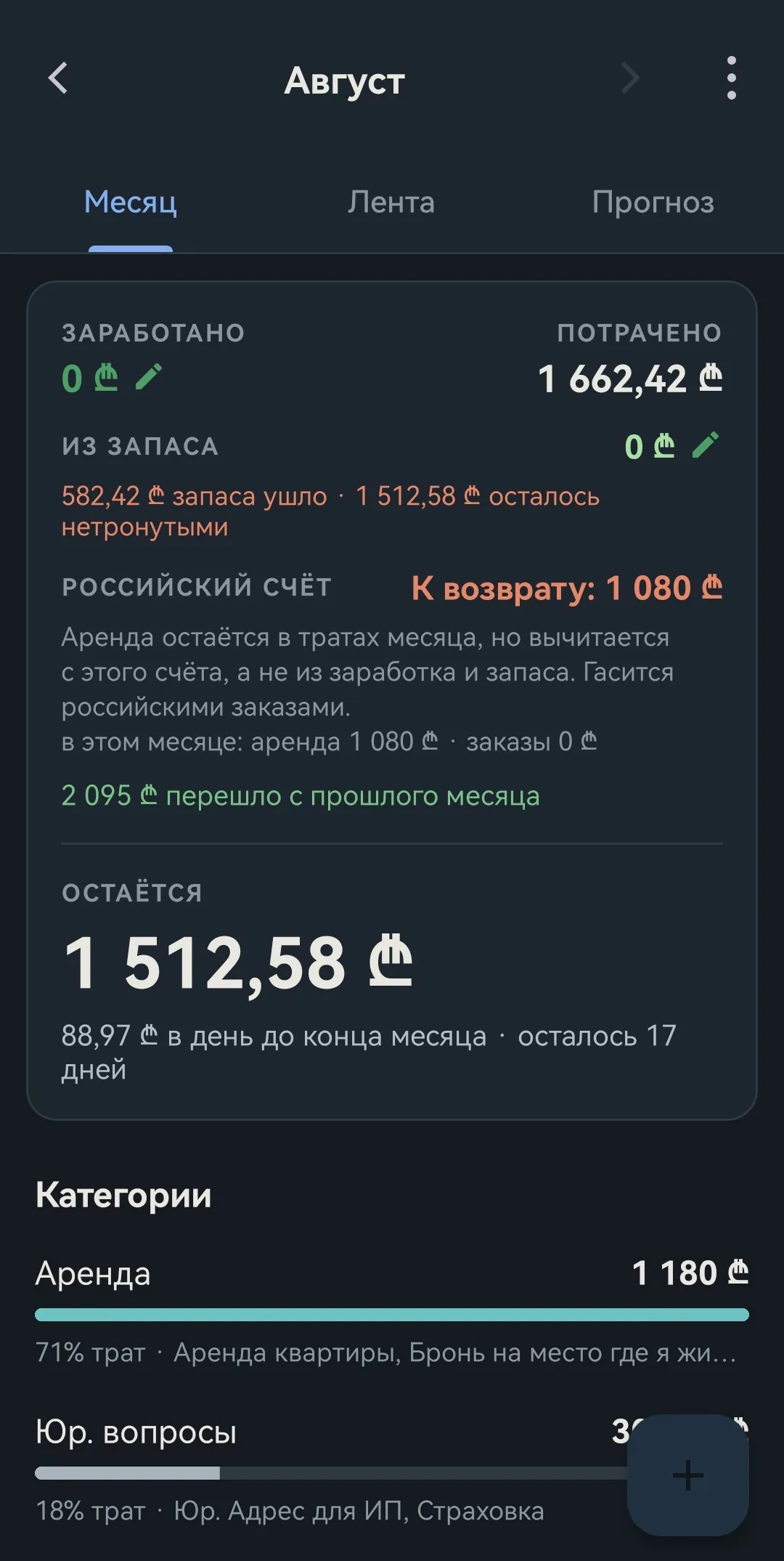
The balance is shown, spread evenly across the days left in the month -
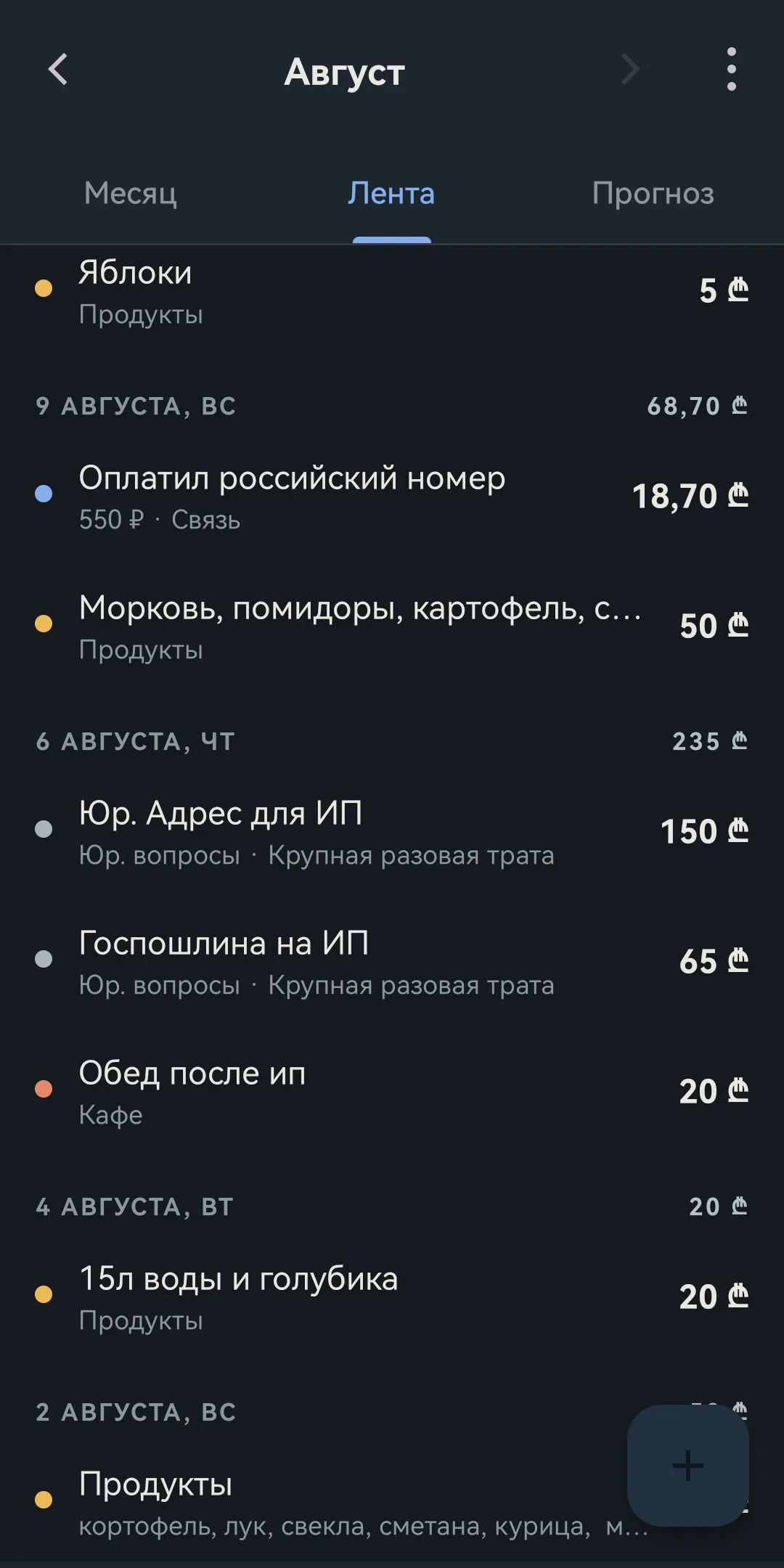
Records are grouped by day, each day with its own total. An entry in another currency shows the original amount next to the category — 550 ₽ became 18.70 ₾ at the rate you typed in with the entry -
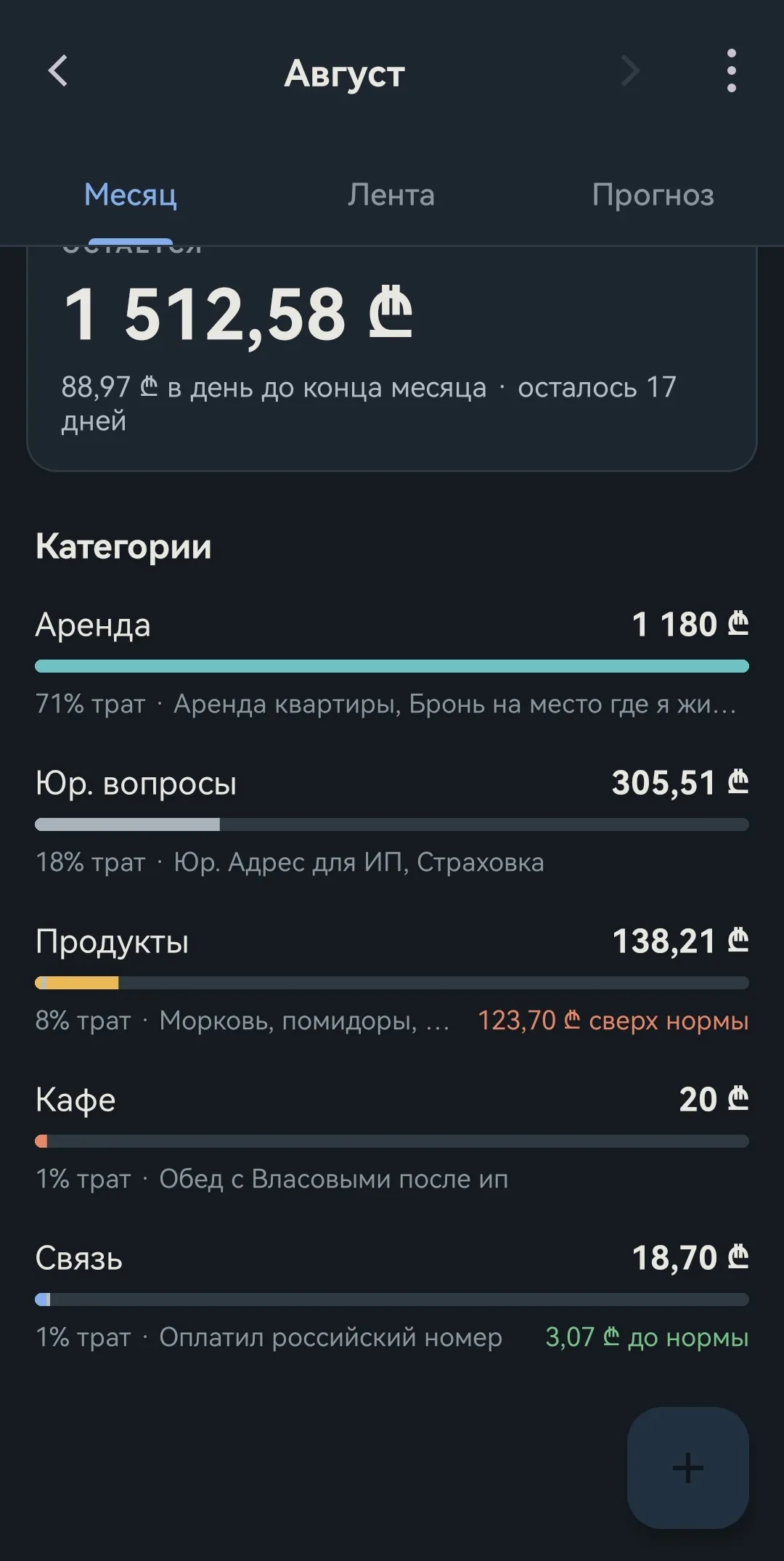
Each category is compared with its own average and shows the overshoot. The more months you have filled in, the more accurate the figures -
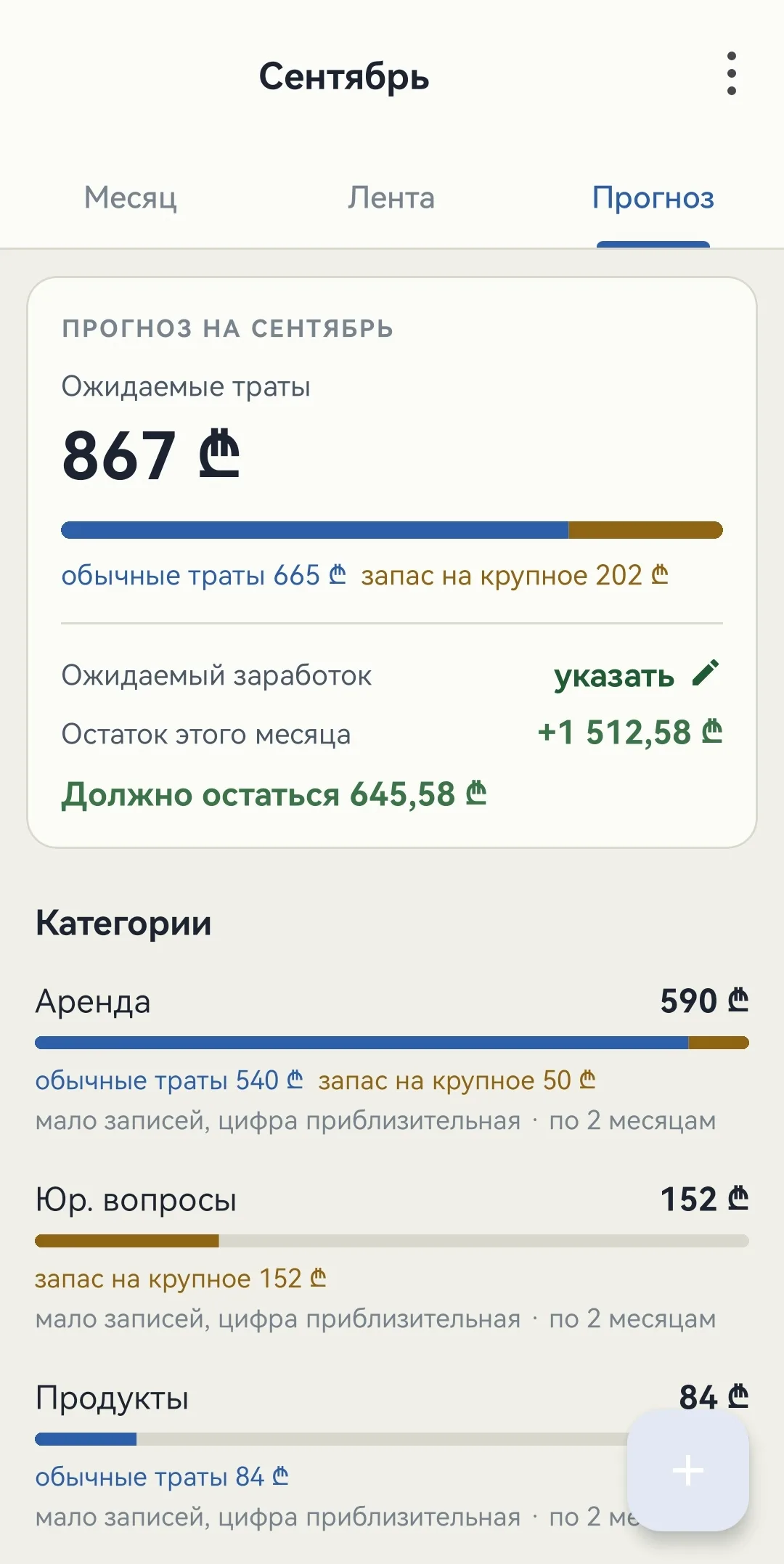
The forecast splits everyday spending from the reserve. The light theme follows the system setting, and can also be chosen by hand -
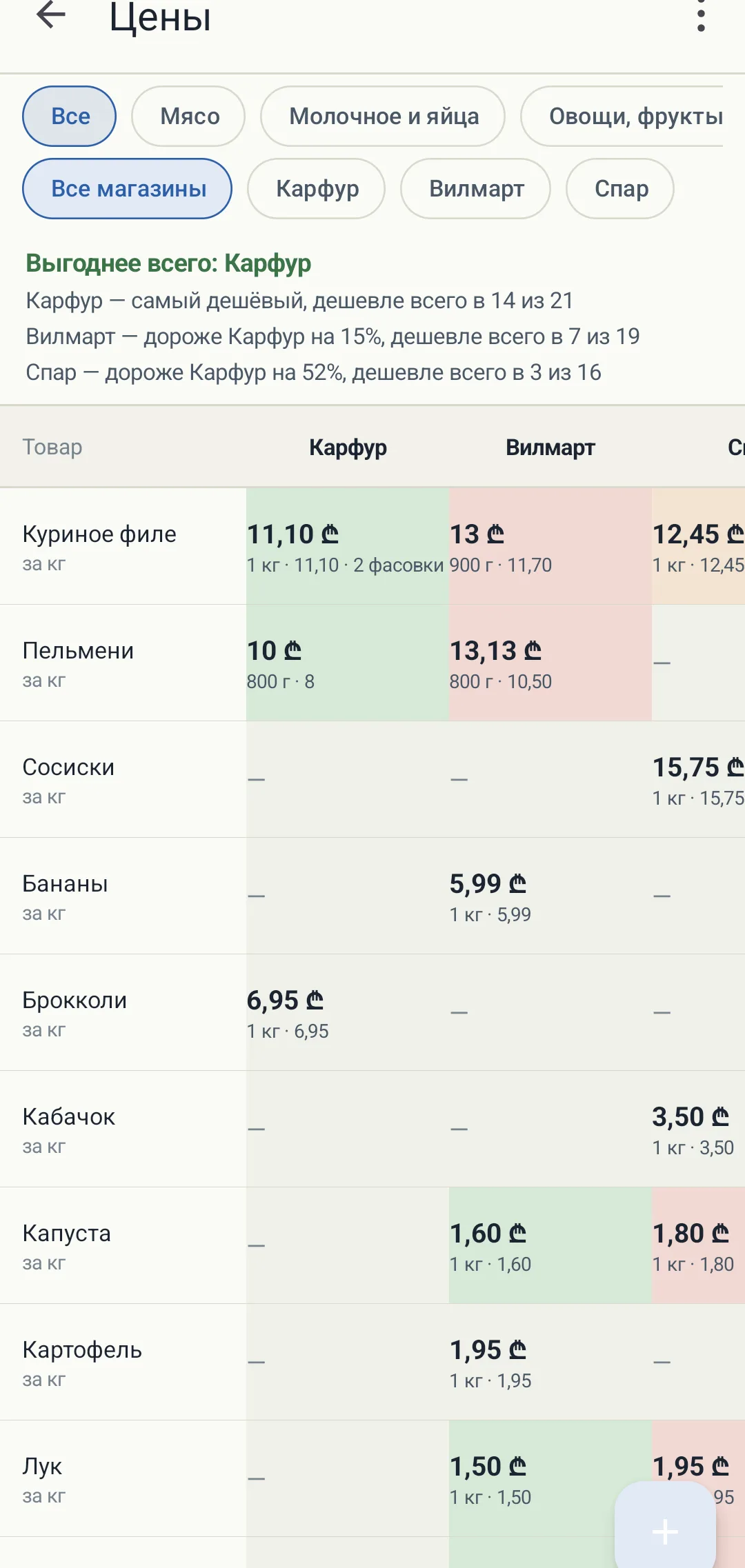
Every price is reduced to the same unit, so the columns can be compared. A green cell is the cheapest, a pink one is dearer; under the price is the pack size the conversion came from -
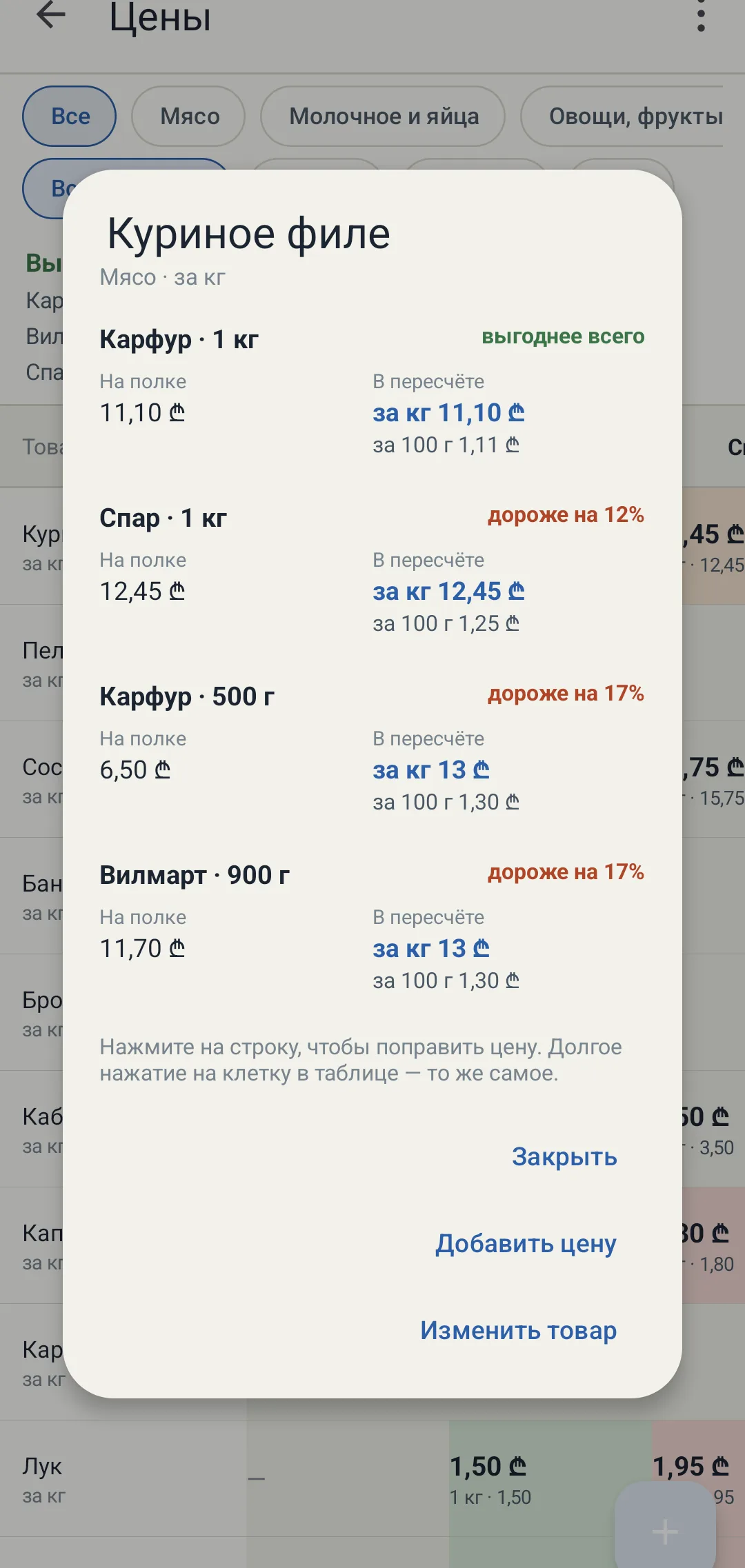
The two meanings of a price are kept apart: on the left what the label says, on the right the price per kilo and per hundred grams. The difference between pack sizes in one shop shows up too: 500 g works out 17% dearer than the kilo -
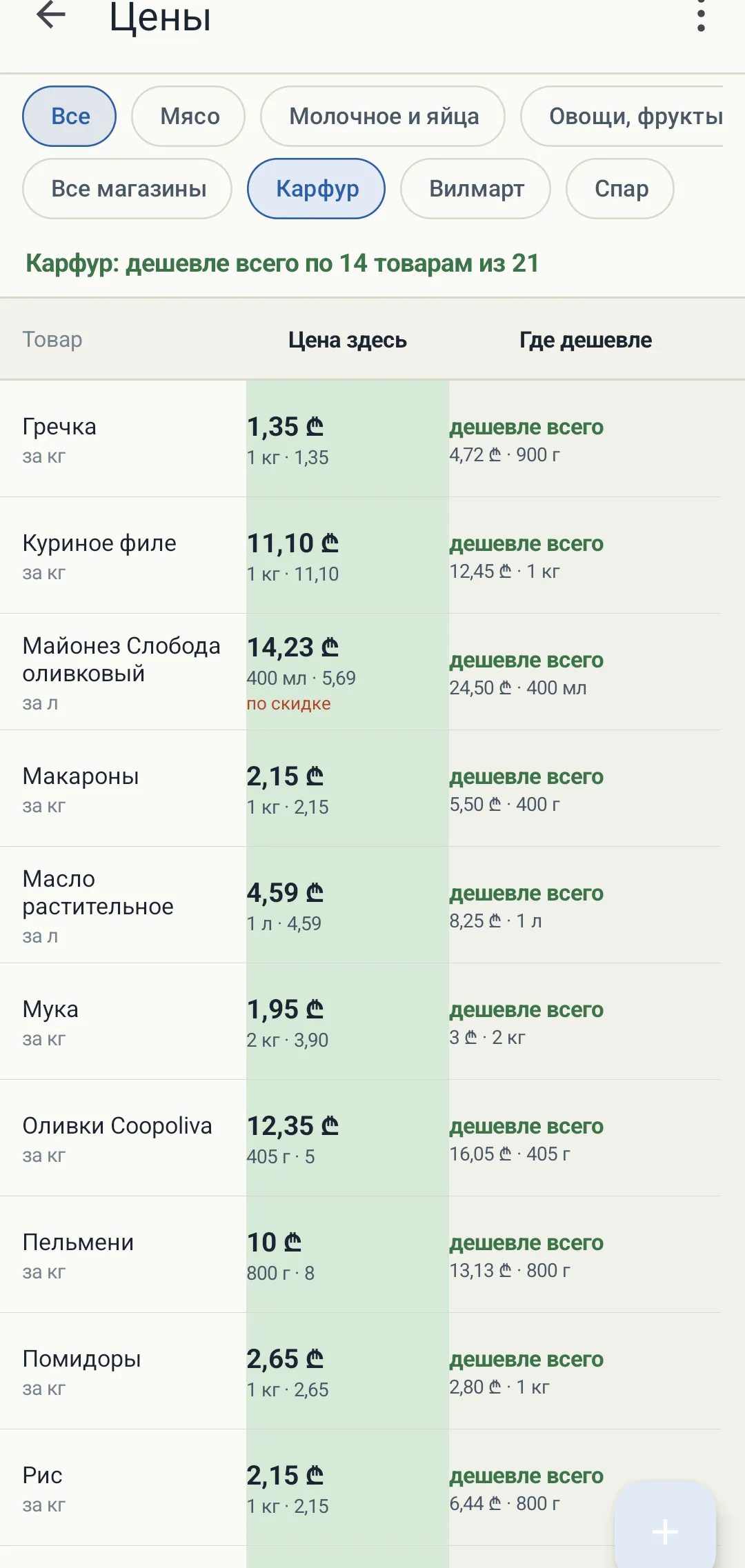
The shop is chosen once and remembered. The list shows what is worth buying right here, and where the rest is cheaper — with the neighbour’s price beside it -
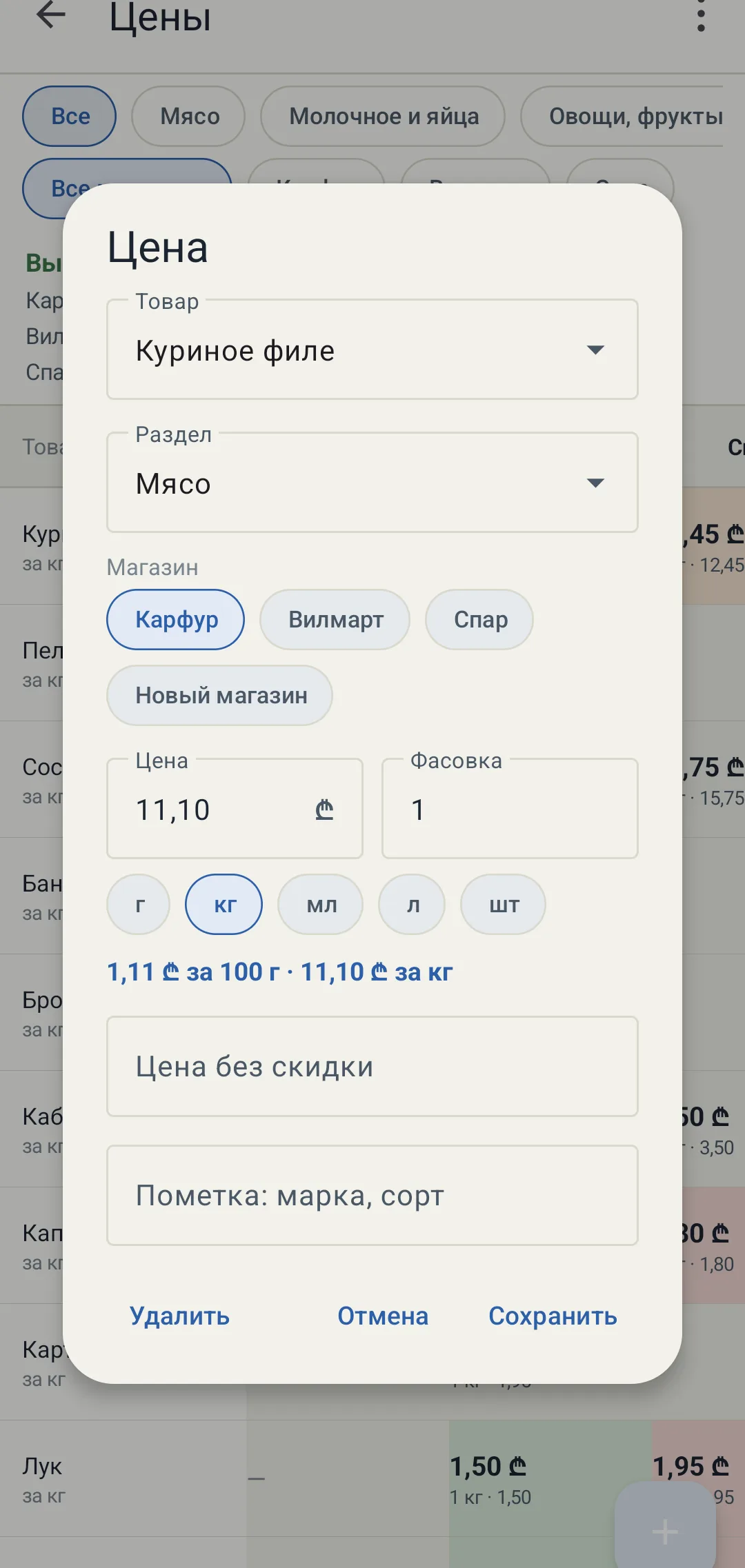
The unit is chosen to fit the item — grams, kilos, millilitres, litres or pieces. The conversion is computed as you type, and the undiscounted price is kept alongside so a promotion cannot pass for the usual one
About the project
I wrote this one for myself, after moving to another country money needed watching more closely. It adds up spending by category, remembers what came in and shows how much is left to spend per day to reach the end of the month. There is a forecast for the next month too, built from your own records of the months before.
A separate page keeps shop prices, so you can see what is worth buying where. The goods × shops table works every price out per single unit. A 900 gram pack for 11.70 is counted as if it held a whole kilo, which comes to 13. The kilo in the shop next door costs 11.10, so that is where to buy it. Cells are coloured by how good the price is, from green to red. The shop is picked once and remembered, in the aisle you should not have to say where you are standing every time.
Everything sits in an ordinary file on the phone. The app does not need the internet and has no permission for it in the manifest.
What is inside
- A category norm is the median of six months, not the average: one month with guests should not rewrite the norm for half a year
- The trend is the median of pairwise slopes, halved and clamped to ±30 % of the base, so a spike cannot run away with the forecast
- Seasonality only switches on after a year of records: a month is compared with itself a year earlier against the median of its own year, so inflation does not pass for a season
- A big one-off buy stays out of the norm and becomes a reserve instead: a laptop once every eight months is one eighth of it every month
- Earnings and savings are kept apart: spending eats the earnings first and only touches the savings once they run out; both leftovers and overspending carry into the next month
- A separate account for the rent: the payment stays in the month’s spending, but comes out of that account rather than the earnings, and orders pay it back
- Multi-currency without touching the network: the rate is typed by hand, pre-filled from the previous entry and stored alongside the expense — nothing is ever recalculated after the fact
- Every sum is whole minor units in a Long, not a single double in the money; storage is JSON in internal memory, written atomically through a temporary file on a background thread
- No internet access in the manifest: only notifications and alarms for payment reminders, which survive a reboot of the phone
- A 1.5 MB release build: R8, resource shrinking, Views and ViewBinding instead of Compose, only two languages bundled
- Prices are compared per unit rather than by the label: 900 g for 11.70 is dearer than a kilo for 11.10, and the table shows that without a calculator
- The item card separates two meanings of a price: “on the shelf” is what the label says, “per unit” is the price per kilo and per hundred grams
- The single-shop view answers “what should I buy here”: which items it has cheapest, and where a neighbour is cheaper and by how much
- Every item carries its own unit: eggs by the piece, liquids in millilitres and litres, weight in grams and kilos — the conversion is computed as you type
- Export to a spreadsheet: nineteen columns, rows sorted by unit price, alongside how many shops know the item and how far this price is from the best one